

1. On the pricing page, select the plan you'd like to upgrade to and click "Checkout Now".
2. Click "Enter license key" and enter your current license key.
3. If you have an active promotional code, you can enter that too to get a discount.
2. Click "Enter license key" and enter your current license key.
3. If you have an active promotional code, you can enter that too to get a discount.
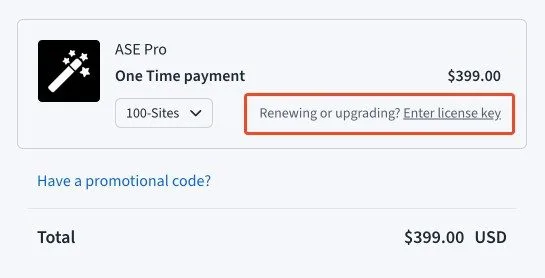
4. You should then be shown the price you need to pay for the upgrade. Prorated pricing should apply.
5. Click "Review Order" and proceed with payment.
5. Click "Review Order" and proceed with payment.